How to Add a GitHub‑Hosted Composer Package to Your Drupal Project

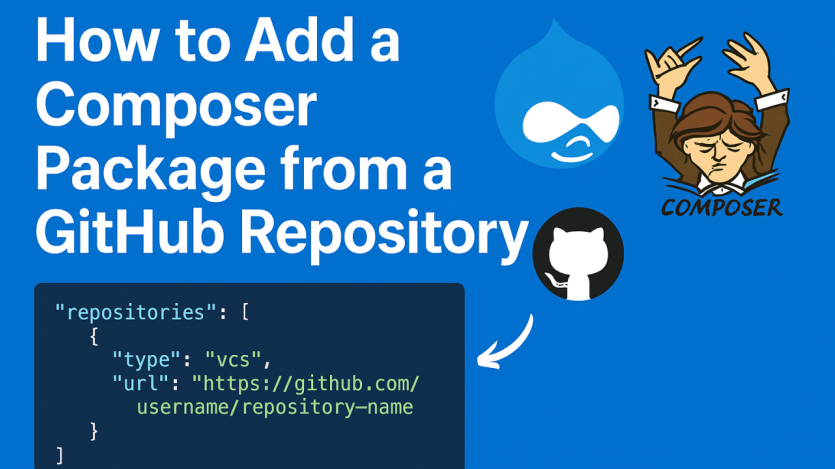
What if the Drupal module you need isn’t on Packagist? Drupak shows how to leverage Composer’s VCS repository support to pull in GitHub‑hosted packages—ideal for custom modules, forks, or non‑published libraries.
First, confirm the GitHub repository includes a valid composer.json with a proper name and dependency settings. Then in your project’s composer.json, add a repository block of type vcs pointing to the GitHub URL. After that, you simply run composer require vendor/package, specifying branches, tags, or commit hashes as needed.
For private GitHub repos, authentication is required. Drupak also recommends best practices: favor stable releases, avoid cluttering composer.json with unused repositories, and document the GitHub dependencies in your project. This approach gives Drupal developers flexibility while maintaining clean, versioned dependency management.

ASK: Drupal Community Needs Your Support
View all →
Disclosure: This content is produced with the assistance of AI.
Disclaimer: The opinions expressed in this story do not necessarily represent that of TheDropTimes. We regularly share third-party blog posts that feature Drupal in good faith. TDT recommends Reader's discretion while consuming such content, as the veracity/authenticity of the story depends on the blogger and their motives.
Note: The vision of this web portal is to help promote news and stories around the Drupal community and promote and celebrate the people and organizations in the community. We strive to create and distribute our content based on these content policy. If you see any omission/variation on this please reach out to us at #thedroptimes channel on Drupal Slack and we will try to address the issue as best we can.

Related Organizations

You may also like