Display Builder Beta 2 Released with New Features and Tutorial Video

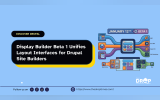
Display Builder, a visual layout and display management module for Drupal, has released its beta 2 version alongside a new tutorial video titled Display Builder: Installation and Overview. The update expands layout integration, improves configuration visibility, and introduces a more flexible UI panel system for visual display building.
The newly released tutorial video demonstrates how to install the module via Composer, enable it within Drupal, and configure themes to work with the builder. The walkthrough also shows how page layouts and entity displays can be created visually through the interface. The module’s integration with Single Directory Components (SDC) is positioned as part of a modern design system workflow.
Beta 2 introduces support for standard Drupal Layout plugins inside the builder. Layout regions function as component slots, while layout settings behave like configurable properties. The release also introduces a generic island region UI panel system designed to support future UI scalability and extensibility.
The Layers panel now displays configuration summaries alongside styling properties, helping site builders better understand component setup directly inside the visual interface. Page Layout entities can now be duplicated using a new cloning function, allowing faster creation of layout variants.
Several stability and usability improvements are included. The release fixes keyboard shortcut conflicts where the builder intercepted browser shortcuts, resolves issues with role-based visibility where components could disappear incorrectly, and addresses a fatal error affecting JSON API data access. Configuration handling has also been refined to reduce storage bloat and prevent PHP warnings.
Additional UI refinements include removing the confusing “Current theme” condition and relaxing permissions for viewing Page Layout collections.
Read the full announcement and watch the tutorial video at uisuite.net.

ASK: Drupal Community Needs Your Support
View all →
Note: The vision of this web portal is to help promote news and stories around the Drupal community and promote and celebrate the people and organizations in the community. We strive to create and distribute our content based on these content policy. If you see any omission/variation on this please reach out to us at #thedroptimes channel on Drupal Slack and we will try to address the issue as best we can.

Related Drupal Initiatives

Related People


You may also like