Set Up Ollama as a Free Local AI Provider in Your Drupal DDEV Environment

This detailed guide by Rakesh J. explains how Drupal developers can use Ollama as a free, local AI provider. It targets developers using DDEV on macOS, offering step-by-step instructions to install and run Ollama outside DDEV containers. Users can locally run AI models like llama3.2 or deepseek-r1, avoiding paid API tokens.
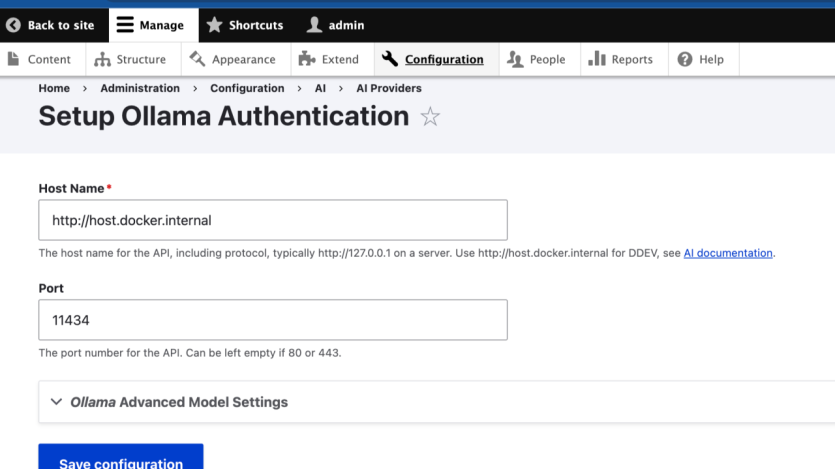
The tutorial includes optional integration via the ddev-ollama add-on, simplifying container-based model access. Key configuration steps involve downloading the ai and ai_provider_ollama modules via Composer and applying a patch for Drupal 11 compatibility. Admins then configure the AI provider settings to link with Ollama’s local service.
Finally, users can interact with models via Drupal’s AI Explorer interface. This setup supports broader local AI use cases like content generation. While the instructions are practical, the article lacks broader context on performance, security, or model limitations.

ASK: Drupal Community Needs Your Support
View all →
Disclosure: This content is produced with the assistance of AI.
Disclaimer: The opinions expressed in this story do not necessarily represent that of TheDropTimes. We regularly share third-party blog posts that feature Drupal in good faith. TDT recommends Reader's discretion while consuming such content, as the veracity/authenticity of the story depends on the blogger and their motives.
Note: The vision of this web portal is to help promote news and stories around the Drupal community and promote and celebrate the people and organizations in the community. We strive to create and distribute our content based on these content policy. If you see any omission/variation on this please reach out to us at #thedroptimes channel on Drupal Slack and we will try to address the issue as best we can.

Related People


You may also like