First Look at Drupal Canvas in CMS V2 Alpha1: Visual Page Building Reinvented

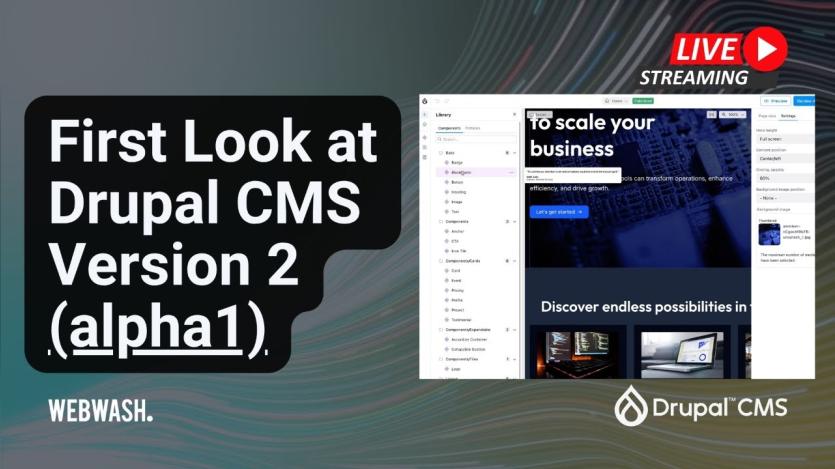
Ivan Zugec’s latest WebWash tutorial provides a hands-on overview of Drupal CMS V2 alpha1, introducing Drupal Canvas, a modern, visual page builder for crafting layouts and components without code.
Drupal Canvas offers a block-based editing experience, enabling editors to visually assemble pages using reusable components, responsive layouts, and theme-integrated designs. The tool draws inspiration from builders like Elementor or Gutenberg, with a familiar interface that includes sidebars for components and properties, a drag-and-drop centre canvas, and zoomable device previews. The release also ships with the Mercury theme, replacing Olivero and providing an agency-style design foundation optimised for Canvas.
Under the hood, Drupal CMS V2 leverages site templates (Starter and Byte), integrates Single Directory Components (SDC), and introduces a new “Pages” tab for managing Canvas-built content. Editors can manipulate headers and footers globally, manage Views within layouts, and even build JSX-based code components directly in the interface. The system replaces the traditional “Manage Display” workflow with visual templates, giving more control over how content types render on the front end—all within a unified interface.
The alpha release is ideal for experimentation in local environments (DDEV recommended), and includes AI-assisted features via the optional Canvas AI module. This enhancement allows prompt-based component generation, bridging Drupal with AI-powered content workflows. While the release is still evolving, the foundational shift introduced by Drupal Canvas signals a major transformation in how Drupal sites will be built and maintained moving forward.

ASK: Drupal Community Needs Your Support
View all →
Disclosure: This content is produced with the assistance of AI.
Disclaimer: The opinions expressed in this story do not necessarily represent that of TheDropTimes. We regularly share third-party blog posts that feature Drupal in good faith. TDT recommends Reader's discretion while consuming such content, as the veracity/authenticity of the story depends on the blogger and their motives.
Note: The vision of this web portal is to help promote news and stories around the Drupal community and promote and celebrate the people and organizations in the community. We strive to create and distribute our content based on these content policy. If you see any omission/variation on this please reach out to us at #thedroptimes channel on Drupal Slack and we will try to address the issue as best we can.

Related Organizations

Related People


You may also like