Let’s start with a straight truth: not all content management systems are built to handle the kind of scale, complexity, and flexibility that enterprise-level websites demand. If you're an organisation with a long-term digital vision, Drupal deserves your serious attention. It’s open-source, battle-tested, and built for heavy lifting—whether you're running a global company, a media platform, or a university with 50+ departments, hundreds of editors, and thousands of users.
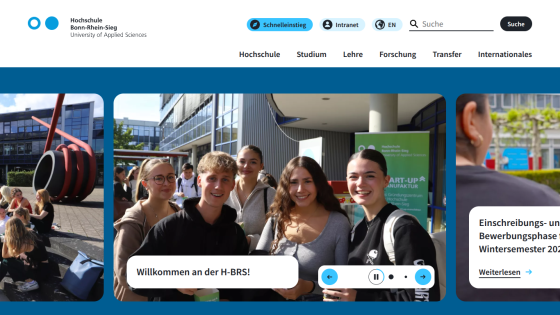
That’s exactly why the University of Applied Sciences turned to Drupal, and to Attico International, for their website overhaul.
Get the Latest in Drupal!
Attico International is a full-cycle Drupal agency that goes beyond development. From consulting and QA to ongoing support and maintenance, they bring long-term vision and technical depth to complex projects. Their track record with enterprise clients has earned them a reputation as a reliable partner in the open-source ecosystem.
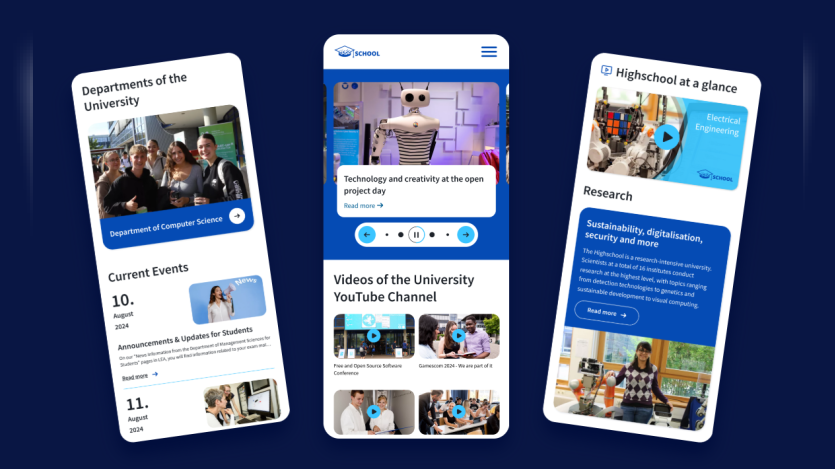
When the University of Applied Sciences—a sprawling institution with over 9,500 students and 800+ staff—needed to migrate its outdated Drupal 7 site, Attico stepped in to deliver a scalable, multilingual, and future-ready platform.
Rebuilding the University's Digital Experience
The website needed to serve two main audiences:
A public-facing site with research publications, podcasts, videos, and news.
An internal workspace for faculty and editors, containing non-public information like internal news and event updates.
The original system was outdated. The access management was developer-dependent, image quality control was a mess, and the design looked like it belonged in another decade.
Attico had to do more than migrate content. They had to rethink how the university’s web platform functioned for both users and editors.
How Attico Solved Editorial Complexity at Scale
To understand how Attico approached this project, The Drop Times spoke with Alexandra Khvoynitskaya, Digital Marketer at Attico. She provided a detailed look at the biggest challenges and how their team addressed them.
One of the first hurdles was the multilevel access system—a critical part of the editorial process across more than 50 departments.
Alexandra explained that the team had to make the system both powerful and intuitive, especially for non-technical users who would be managing content daily. She broke down their approach:
Alexandra Khvoynitskaya
“The access control system includes multiple roles for editors and administrators, both at the site level and at the department level. This allows for a clear and consistent structure at each level, making it easy for non-technical users to understand and use. At the same time, the system is technically flexible and scalable — we can quickly expand the number of roles at any level, ensuring it remains easy to manage as the organisation grows.”
By implementing the Group module, they allowed each department to manage its own space and editorial flow. Editors, assistants, and admins all had clearly defined roles, and the admin panel allowed for permissions to be updated without developer help.
Migrating 15,000+ Pages Without Breaking a Thing
Another major challenge was the sheer size of the migration. Moving from Drupal 7 to 9 meant not only transferring content but also completely restructuring it. The team had to map every data point from the old system to the new one.
Alexandra described this as the most time-consuming part of the project, but one that had zero margin for error:
“One of the biggest technical challenges was the significant change in the content structure. To address this, we had to create a precise content mapping plan to ensure all data was migrated exactly as expected into the new data model. To prevent content loss and ensure minimal downtime, we made a temporary content freeze during the migration process. As a result, no content was lost, and the transition was smooth for end users.”
The result? A seamless switch for thousands of users and contributors, with no disruption to daily workflows.
Fixing the Image Quality Nightmare
The old site had another recurring pain point: poor image handling. Content creators uploaded hundreds of images, but they were limited to a single image size that looked pixelated on some screens and oversized on others. For the university’s marketing team, this created a constant bottleneck.
To solve it, Attico created an automated image processing system grounded in their frontend design system.
Alexandra explained how they standardised everything:
“As a result of our work on the design system used in the project, we had the dimensions of all images used on the site readily available. Since editors upload the images, it was essential to ensure that they would look their best both on a 5K Retina iMac screen and on a mobile phone. To achieve this, we enabled editors to crop images according to aspect ratios predefined by the design system. Then, the image is automatically generated in all the required screen resolutions, resulting in a set of ready-to-use pictures for all the blocks where that image might be used.”
This drastically reduced manual work and ensured that visuals always looked sharp, regardless of the device or screen size.
Balancing Public and Private Content Without Errors
With both public-facing content and a secured intranet on the same platform, there was a risk of conflicting user journeys—or worse, users encountering error pages for content they couldn’t access.
Alexandra shared how Attico designed a smart visibility system to eliminate that risk:
“Any link on the site is displayed only if the current user (whether a logged-in user or an anonymous visitor) has access to the content of the page. This ensures that a user without permission to view a page won’t see an unnecessary link and won’t end up on a page with a frustrating 403 error.”
The result? Tailored user journeys that protect sensitive content without confusing visitors.
Custom vs. Forked Modules: A Thoughtful Approach
This project involved over 120 contributed modules and 15 custom-built ones. But when it came to forking vs. extending modules, Attico chose carefully.
Alexandra clarified their criteria for forking:
“If we realise that implementing the required functionality would involve too many project-specific modifications to a module—changes that wouldn't be useful to the broader community—we choose to fork the module. From then on, it is maintained as a custom solution specific to the project. Because maintaining such forks increases complexity, we always strive to use publicly available, community-supported solutions whenever possible. When changes are needed, we rely on standard mechanisms for managing module behaviour, such as configuration, hooks, and events. If there’s an opportunity to fork a module instead of building a fully custom solution or to extend it using its API to suit the project better, we do this.”
SEO and UX at the Core
Beyond technical fixes, the new site had to rank well and read well. That meant:
Clear content structure using headings, subheadings, and descriptive URLs.
Natural keyword usage throughout titles, body text, and image alt tags.
No keyword stuffing—just smart, relevant language aligned with search intent.
Optimised load times, mobile responsiveness, and accessibility.
Everything aligned with Google’s modern SEO standards while keeping user experience front and centre.
A Stronger Platform, Built for Purpose
The updated site delivers a measurable shift in both function and form. It now features:
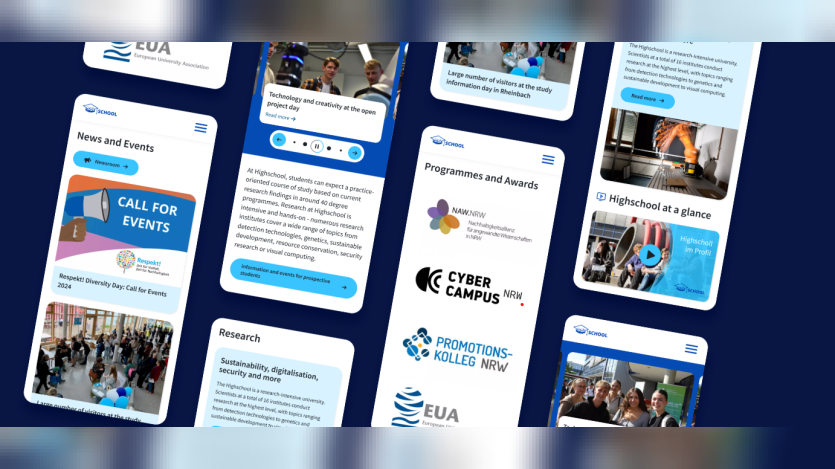
A mobile-responsive, SEO-optimised design.
A multilevel access system aligned with the university's internal editorial structure.
Streamlined workflows that allow contributors from over 50 departments to publish with minimal friction.
Integrations with DIAS, BITE, Opus 4, and a custom podcast player to centralise academic content and simplify updates.
A responsive image handling system and centralised media library to support both marketing and editorial needs.
With this foundation in place, the University of Applied Sciences is equipped to manage its multilingual, research-focused content across departments with clarity and control. The platform is now built not only to support current operations but also to scale as the institution continues to grow.
Image Attribution Disclaimer: At The Drop Times (TDT), we are committed to properly crediting photographers whose images appear in our content. Many of the images we use come from event organizers, interviewees, or publicly shared galleries under CC BY-SA licenses. However, some images may come from personal collections where metadata is lost, making proper attribution challenging.
Our purpose in using these images is to highlight Drupal, its events, and its contributors—not for commercial gain. If you recognize an image on our platform that is uncredited or incorrectly attributed, we encourage you to reach out to us at #thedroptimes channel on Drupal Slack.
We value the work of visual storytellers and appreciate your help in ensuring fair attribution. Thank you for supporting open-source collaboration!
Note: The vision of this web portal is to help promote news and stories around the Drupal community and promote and celebrate the people and organizations in the community. We strive to create and distribute our content based on these content policy. If you see any omission/variation on this please reach out to us at #thedroptimes channel on Drupal Slack and we will try to address the issue as best we can.
The Hochschule Bonn-Rhein-Sieg (H-BRS) is a state university of applied sciences established in 1995, offering approximately 40 practice-oriented degree programs across various fields such as business, computer science, engineering, and social sciences.








 Kazima AbbasKazima Abbas is a sub-editor at The Drop Times