Learn about Drupal 8's Simplified Form Field Visibility Control

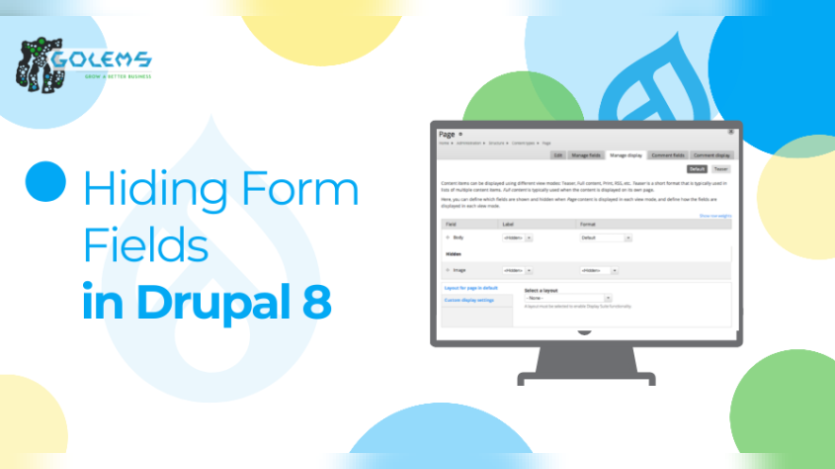
When fine-tuning the user experience on a Drupal website, selectively hiding or displaying specific form fields can make a significant difference. In Drupal 8, this process has been streamlined, making it easier for developers to control field visibility and optimize content presentation. Golems' latest guide shows how Drupal 8 simplifies the task of hiding form fields and improving user interactions.
In earlier versions of Drupal, achieving field control often required custom coding using the `hook_form_alter` function. However, Drupal 8 introduces a more intuitive approach. Developers can now manage field visibility directly through the form display configuration, eliminating the need for extensive custom code. Depending on specific conditions, you can easily hide or show form fields, enhancing the user experience without delving into complex technicalities.
The guide provides instances for a better understanding of the reader, such as imagining you want to add a new field to user accounts but hide it during user registration. In Drupal 8, this process involves creating the field, setting values, and then managing its display through the "Manage Form Display" tab. By moving the field's widget to the "Disabled" region, you effectively hide it on the registration form. This user-friendly approach simplifies the process and empowers developers to create more tailored, user-centric web experiences.
Drupal 8's built-in capabilities for hiding form fields offer a straightforward way to enhance user experiences. By eliminating the need for intricate custom code, Drupal 8 empowers developers to optimize content presentation, making websites more intuitive and user-friendly. This feature and the power of view modes showcase Drupal's commitment to providing tools that make web development efficient and accessible.
For effective learning, kindly go through the complete guide.
ASK: Drupal Community Needs Your Support
View all →
Disclaimer: The opinions expressed in this story do not necessarily represent that of TheDropTimes. We regularly share third-party blog posts that feature Drupal in good faith. TDT recommends Reader's discretion while consuming such content, as the veracity/authenticity of the story depends on the blogger and their motives.
Note: The vision of this web portal is to help promote news and stories around the Drupal community and promote and celebrate the people and organizations in the community. We strive to create and distribute our content based on these content policy. If you see any omission/variation on this please reach out to us at #thedroptimes channel on Drupal Slack and we will try to address the issue as best we can.

Related Organizations

You may also like